Connecting Hybrid Teams Begins Early in the Design Process
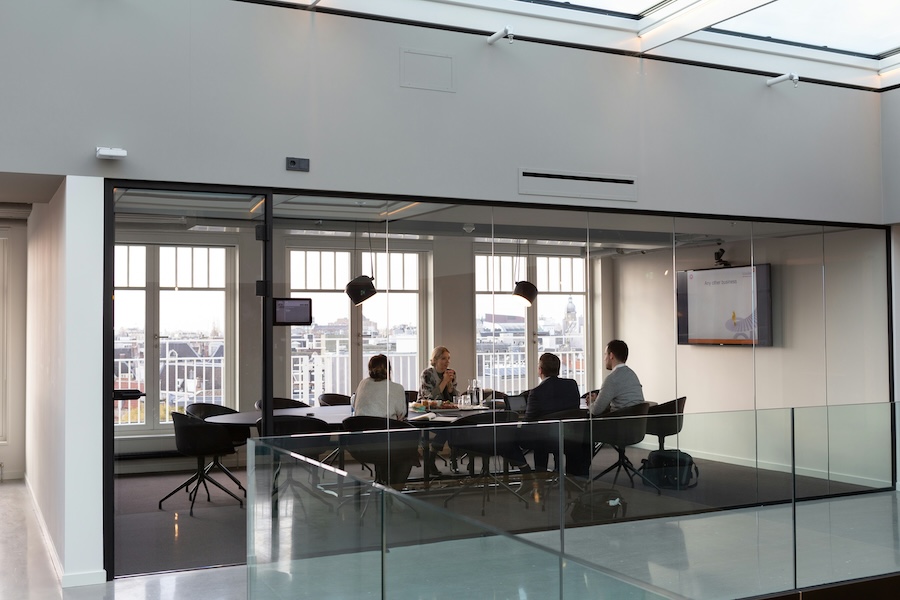
We’ve all experienced the awkwardness of a hybrid meeting gone wrong. Everyone sits around a custom conference table while someone struggles to connect a laptop, the remote team complains they can't hear, and ten minutes are wasted just trying to get the camera to frame the room correctly. What a headache!
If your corporate office design still doesn't prioritize an intuitive collaboration room setup, you're actively impacting productivity and tenant satisfaction. Today’s businesses don't just need a physical workspace that looks good; they need a workplace that effortlessly bridges the gap between in-office staff and remote contributors.
At In-Focus Systems, we partner with Twin Cities architects, designers, and business owners to create high-performance office setups built around Microsoft Teams Rooms. We bring your design vision to life and ensure it functions flawlessly from day one, minimizing technical glitches and maximizing collaboration.
Learn more about our approach below.
MORE FOR BUSINESS: Redefining Security and Sound for Commercial Outdoor Spaces
The Power of Microsoft Teams Rooms Standards
When specifying a modern corporate office layout, a one-size-fits-all approach to meeting spaces creates operational chaos. Instead, we focus on creating standardized room templates that leverage the Microsoft Teams Rooms ecosystem. This provides a predictable, reliable environment, whether an employee is stepping into a small huddle space or the main executive boardroom.
- One-Button Start: No more fumbling with fragmented cables or troubleshooting audio inputs. Users walk into the room, tap a single interface on the tabletop controller, and the meeting instantly launches with video and audio optimized.
- Consistent User Experience: Standardizing the user interface across every square foot of the office and satellite campuses means employees know exactly how to operate the technology, regardless of which room they book or site they visit. Pre-meeting stress is drastically reduced, keeping teams focused on the agenda rather than the hardware.
Bridge the Distance for Remote Employees
A successful corporate setup must make remote participants feel like they have a literal seat at the table. To achieve this, your technology integration must focus heavily on visual and acoustic clarity.
- Intelligent Camera Framing: Corporate setups utilizing smart cameras can automatically track active speakers or split the screen into individual video frames for everyone in the room. Remote meeting attendees can read body language and feel genuinely included in the conversation.
- Acoustic Precision: Echoing audio and background noise are the fastest ways to derail an important client presentation. We design spaces with integrated microphone arrays that capture crisp dialogue while filtering out sound reflections from walls, squeaky chairs, and HVAC hums.
Design-Assist Eliminates Jobsite Drama
For architects and project leads, the greatest risk to a pristine corporate buildout is late-stage value engineering. GCs often pressure owners to swap out tech specifications to cut budgets, which inevitably limits the room's performance and reflects poorly back on the design team.
By engaging In-Focus Systems early in the design phase, we provide a spec-ready basis of design and clear drawings. We coordinate tightly with IT departments and GCs long before drywall goes up, positioning the network foundation and structural conduits for later success. This proactive coordination reduces RFIs, eliminates change orders, and ensures a clean handoff that sticks.
Is your next corporate office project equipped for the future of hybrid work? Let’s standardize your collaborative meeting spaces so they work every time. Contact In-Focus Systems today for a conference room assessment.